Connect your AI to Wallu (MCP)
Wallu has a remote MCP (Model Context Protocol) server at
https://mcp.wallubot.com/mcp. Connect your own AI - Claude Code, Codex or any MCP-compatible
client - and it can manage your Wallu server for you:
- Manage knowledge: add, update, search and clean up FAQs and documents
- Keep knowledge in sync with your product: push updated docs/changelogs on every release (idempotent upserts - safe to re-run from CI)
- Tweak settings: your AI reads every setting with inline explanations and can change them for you
- Test the bot: ask a question through the real answer pipeline to verify new knowledge is picked up
- Learn from real conversations: browse the raw questions your community actually asked - what was answered, by whom (bot/staff/user/nobody), and when - so your AI can find recurring questions and knowledge gaps itself (requires Advanced Insights to be enabled; read-only, no AI summaries - your AI draws its own conclusions from the raw data)
The MCP server is available on all plans (including free) and is currently in beta.
Setup
- Create an MCP API key on the addons page
(
mcp_...- it is shown only once, keep it secret). - Add the connector to your AI tool:
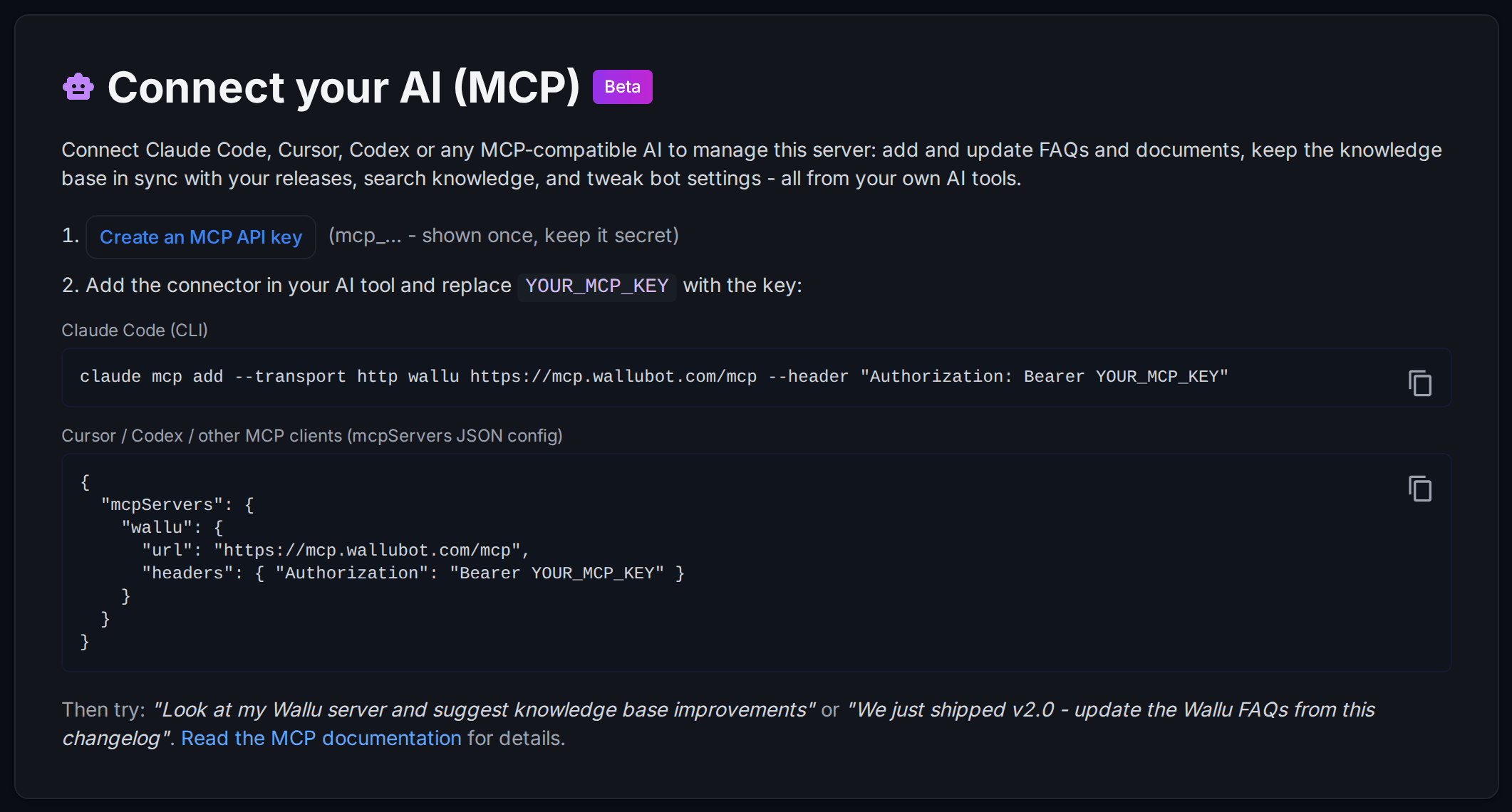
Claude Code (CLI):
claude mcp add --transport http wallu https://mcp.wallubot.com/mcp --header "Authorization: Bearer YOUR_MCP_KEY"
Other MCP clients (mcpServers JSON config):
{
  "mcpServers": {
    "wallu": {
      "url": "https://mcp.wallubot.com/mcp",
      "headers": { "Authorization": "Bearer YOUR_MCP_KEY" }
    }
  }
}
Codex and other tools that use their own config format need the same three things: the URL above, HTTP
(streamable) transport, and the Authorization: Bearer YOUR_MCP_KEY header - see your tool's own MCP docs
for where they go. The key can also be sent as an x-api-key header if your client doesn't support the
Authorization header. The key is bound to one Discord server, so there's nothing else to configure.
Things to try
- "Look at my Wallu server and suggest knowledge base improvements"
- "Go through what people asked on my server this month, find questions that went unanswered or needed
staff help, and add FAQs so Wallu can answer them next time" (uses the
list_insightstool) - "We just shipped v2.0 - here's the changelog, update the Wallu FAQs and docs accordingly"
- "Import our help center at example.com/help into Wallu"
- "Why isn't Wallu answering questions about refunds? Fix it."
- "Export all our docs to files, run a find-and-replace across them, and sync them back" - for bulk work
your AI can pull and push whole documents as files over the HTTP API (your
mcp_key works there too), instead of going one document at a time. Note: the MCP connection keeps your key hidden from the AI, but calling the HTTP API withcurlneeds the raw key in the request - so for this you have to give your AI the key value (e.g. as an environment variable in its shell). - In CI / release automation: have your coding agent push updated help content with the idempotent
upsert_documenttool on every release, then verify withtest_bot_answer.
What it can and cannot do
MCP keys are deliberately more limited than the panel:
- Documents can be deactivated but not hard-deleted (delete permanently in the panel)
- No access to API key management, custom bot tokens, billing, or data exports
- Imported documents (Discord/website/Git) keep syncing from their source - their content can't be hand-edited (same as in the panel)
- Requests are rate-limited per key and all changes appear in the panel audit log
- The
test_bot_answertool consumes your server's credits like a real answered question
Destructive tools (removing FAQs, deactivating documents, config changes) are marked as such, so well-behaving MCP clients ask you for approval before running them.
Security notes
- Anyone with your MCP key can edit that server's knowledge and settings - treat it like a password. You can revoke a key anytime on the addons page.
- The key only grants access to the one server it was created for.
Questions or feedback? Join the support Discord - this feature is in beta and we'd love to hear what you build with it.