Insights & Analytics
Wallu can only answer what it knows. Insights tell you what it didn't know - the questions your community asked that nobody or only your staff could answer - so you know exactly what to add next.
Dashboard analytics
Everyone gets the basics on the dashboard: how many questions Wallu answered, how answers were voted, and how your credits are being used. Good for a quick health check.
Advanced Insights
Advanced Insights requires a Professional plan or higher and is off until you enable it. It is in beta.
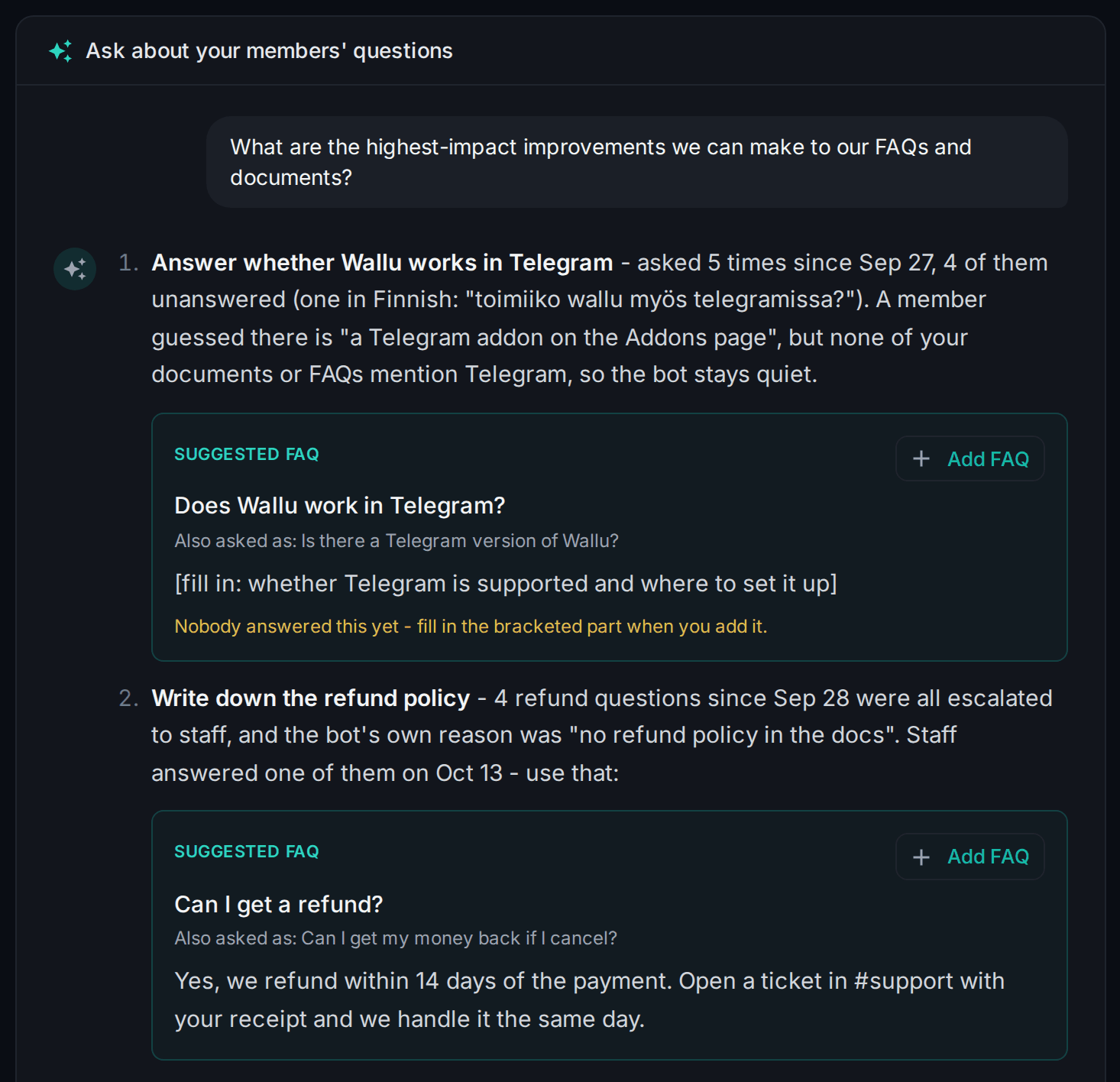
Once enabled, Wallu records the questions asked in your server and how each one ended: answered by Wallu, answered by your staff, answered by another member, or not answered at all. On the Insights page you ask about them in a chat:
- The improvements that would help most, listed when you open the page: what members keep asking that Wallu couldn't answer, what your staff answer by hand again and again, and where Wallu's answers got downvoted.
- Follow-up questions in your own words - "what did people ask about payments this week?", "which questions do staff answer again and again?".
- Suggested FAQs with an Add FAQ button. They are suggestions based on the messages in your server, so make sure each one is correct before you add it - Wallu answers your members with it. Where nobody knew the answer, Insights leaves a
[fill in: ...]gap for you instead of guessing. - Browse recorded questions under the chat to read the raw questions and replies the answers are based on.
Insights answers up to 20 questions a day per person and 50 per server.
Enable it
- Open the Insights page.
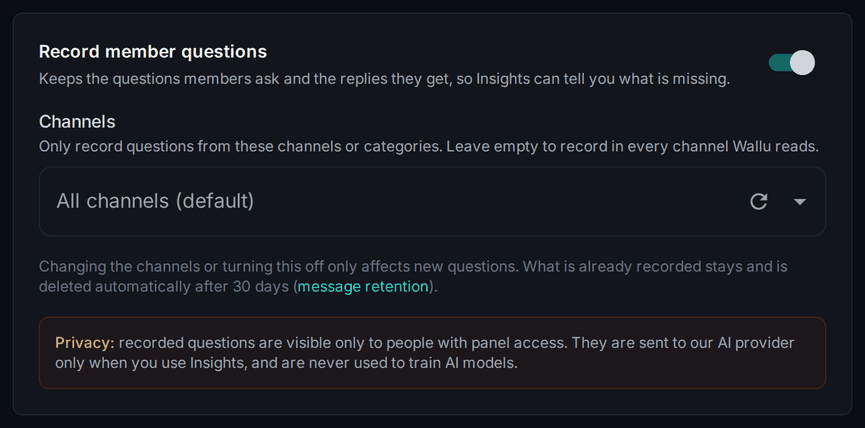
- Turn on Record member questions and save.
- Optionally pick the Channels to record from - leave empty for all of them.
- Come back in a few days. Insights need real traffic before patterns appear.
Changing the channels or turning recording off only affects new questions: what is already recorded stays until your message retention deletes it.
Privacy
Recording insights means storing the message content of questions asked in your server. It's visible only to your admins with panel access, it is sent to our AI provider only when you use Insights, it is not used to train AI models, and it follows the message retention window you set (max 30 days, 0 to store nothing). Once a user runs /opt-out, their new messages are no longer recorded; what was recorded before is deleted with the retention window.
FAQ suggestions
Separate from Advanced Insights and available on every plan: Wallu can watch what it struggled with and post suggested FAQs to your staff.
- Set a Staff Notifications Channel in Settings.
- Keep Send suggested FAQs to add in documents enabled under it.
Suggestions arrive as normal Discord messages, so you can mute the channel and review them when it suits you. Leave the channel unset to turn all staff notifications off.
Let your AI dig through them
With the MCP server, your own AI tool (Claude Code, Codex, …) can read the raw insights and act on them - "go through what people asked this month, find what went unanswered, and add FAQs so Wallu can answer next time". It reads the same recorded questions the Insights chat answers from, with no AI summarizing in between.